How to Search on Archive.org
Cracking the Archive.org Genealogy Search: Effective Search Strategies for Complex European Surnames and Other Keywords.

Author
I use a couple of surnames in the article, but keep in mind that these can be any words, toponyms, rare names, names of estates, combinations of names with a position, occupation, and so on!
A Universal Methodology for Digital Archives
While this guide focuses specifically on navigating the architecture of Archive.org, it is important to note that the underlying flaws of Optical Character Recognition (OCR) are universal. A machine reading a 19th-century Fraktur font will make the same mistakes regardless of which website hosts the file.
Therefore, the strategies outlined below, anticipating typographical errors, exploiting wildcard operators, and isolating hyphenated fragments, are highly transferable skills. You can apply these same search methodologies to uncover hidden records in other major digitized databases, including:
- HathiTrust Digital Library: A massive, academic counterpart to Archive.org, filled with millions of digitized European historical texts.
- Google Books: Where tight kerning and 19th-century typography create the same OCR misreads.
- FamilySearch Digital Library: Specifically within their massive collection of unindexed, scanned historical books and regional gazetteers.
- ANNO (Austrian Newspapers Online): An essential repository for Central European and Italian historical research where Gothic fonts and complex typography are prevalent.
- DIGAR (Estonian Digital Archive): An invaluable portal for researching Baltic nobility and Russian Empire records, heavily reliant on OCR for its historical newspaper and book collections.
- Chronicling America / The British Newspaper Archive: Where narrow, historical newspaper columns frequently trigger the line-break and hyphenation traps discussed later in this guide.
- And many others…
Once you learn how to think like the OCR algorithm, you can break the code of almost any digital archive.
In conclusion, I’ll share a list of ready-made templates for searching popular sections of European genealogy.
Archive.org is often viewed simply as a massive digital library of rare editions, fascinating, but perhaps not the most practical tool for private genealogical research. I used to think the same until I stumbled upon printed archival inventories and documents that completely unraveled a narrative thread I thought was permanently lost.
The site hides an incredible wealth of materials: printed regional gazetteers, old European archive indices, and rare historical correspondence. The catch? The Optical Character Recognition (OCR) for old fonts and multiple languages is far from perfect, making the search process feel chaotic.
However, the time spent mastering this search engine is absolutely worth it. Below, I will outline exactly how to search to extract the maximum amount of information, using the complex surnames of the Strahlborn (Straelborn) and Derionzini families as examples.
Where to Start: Selecting the Right Search Type
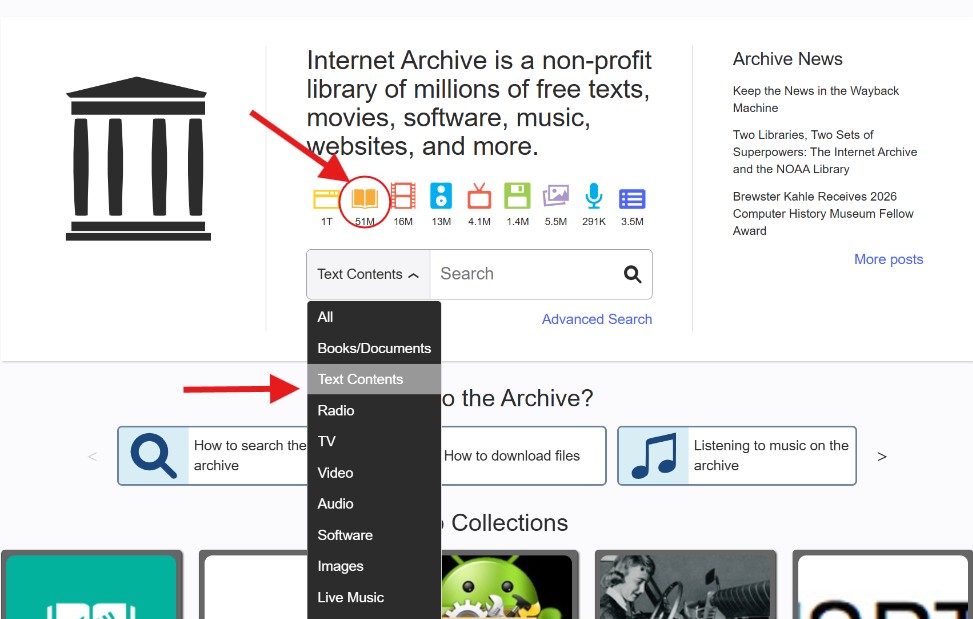
When you use the main search bar on the homepage, the system defaults to searching metadata (titles and tags). This is useless for genealogy. Crucial Tip: You must always select the “Texts” and “Search text contents” option (usually represented by a small magnifying glass icon with lines of text). This forces the engine to scan the actual recognized words printed inside the millions of books and filter out thousands of unnecessary results.
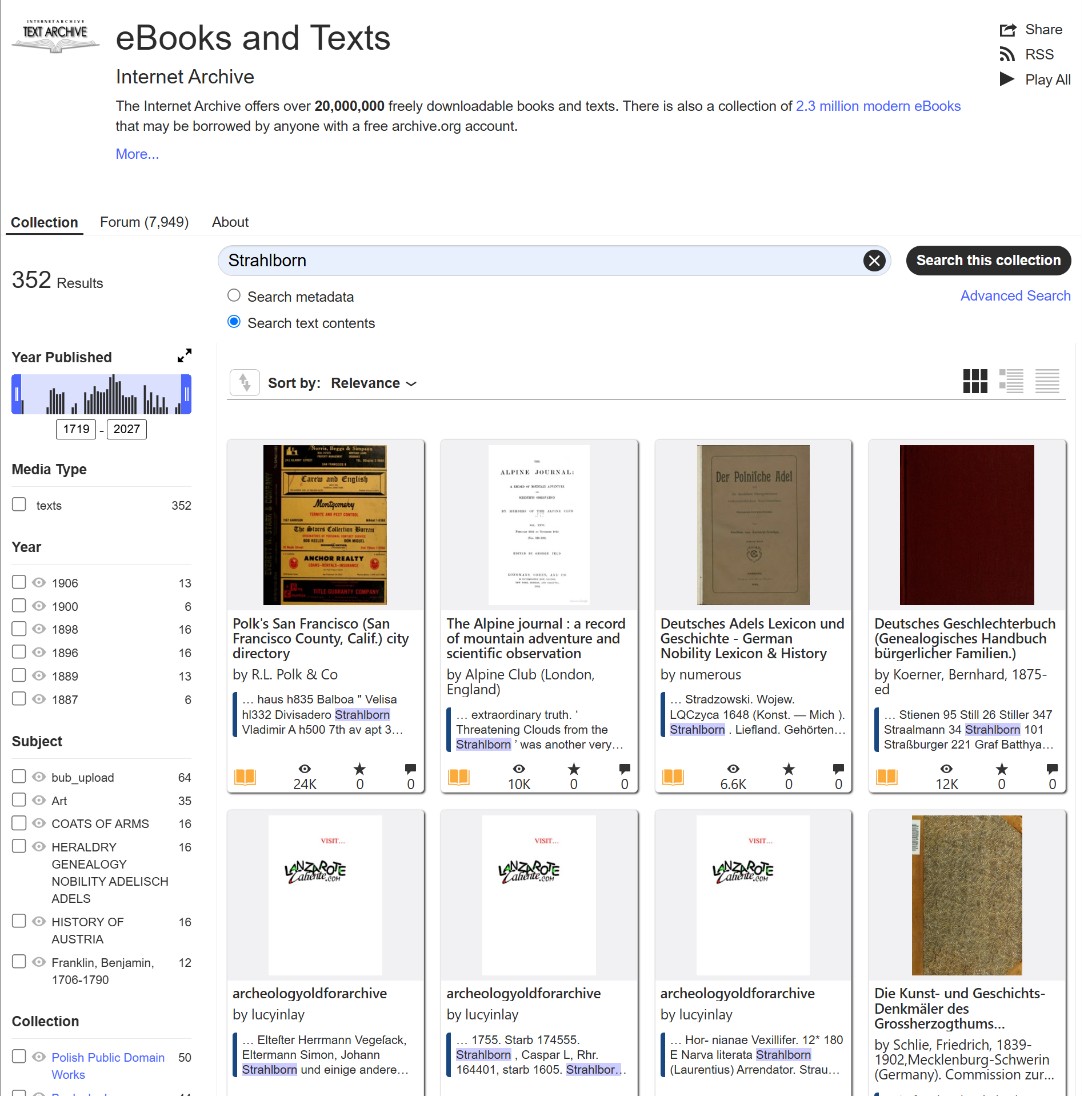
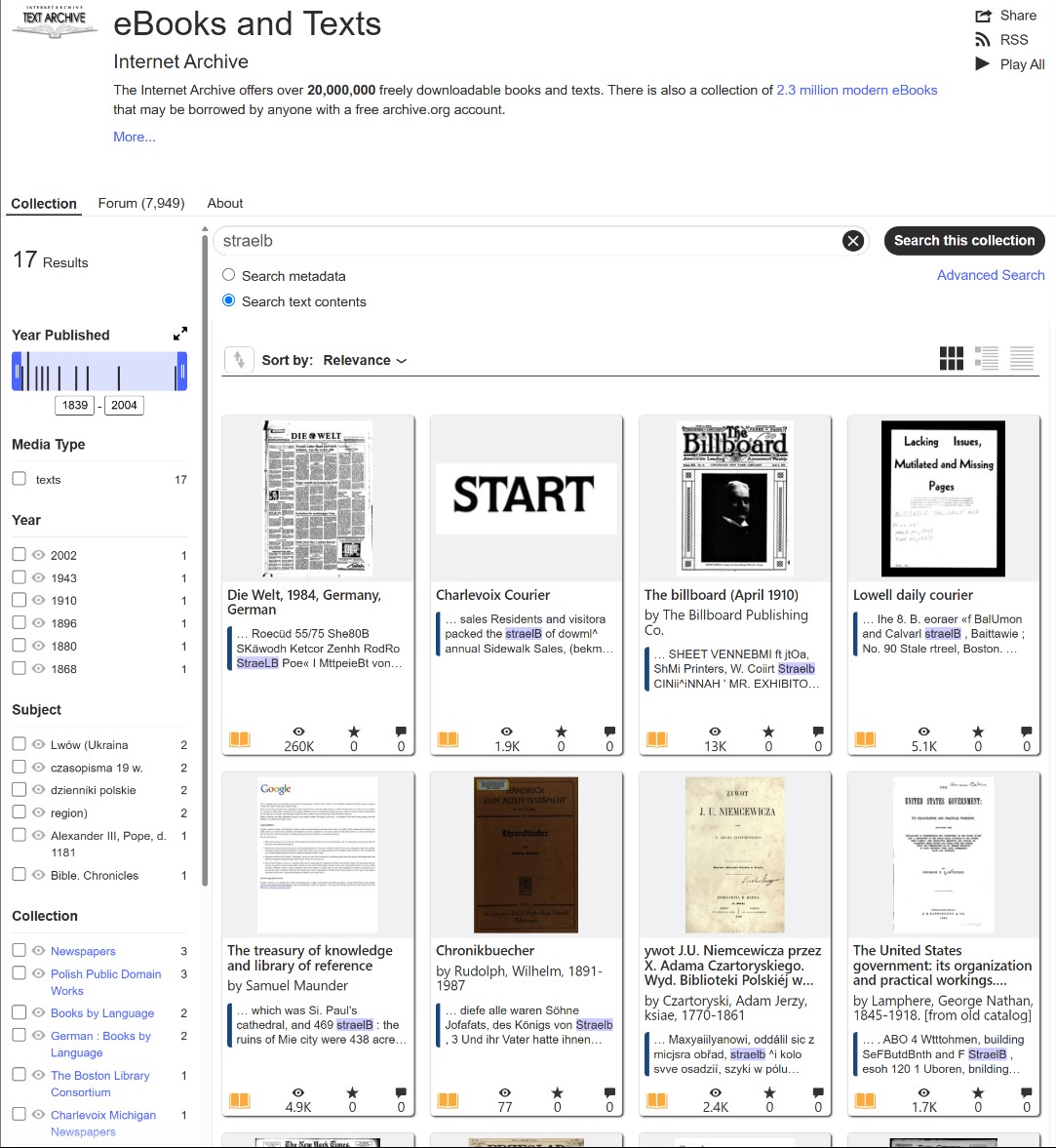
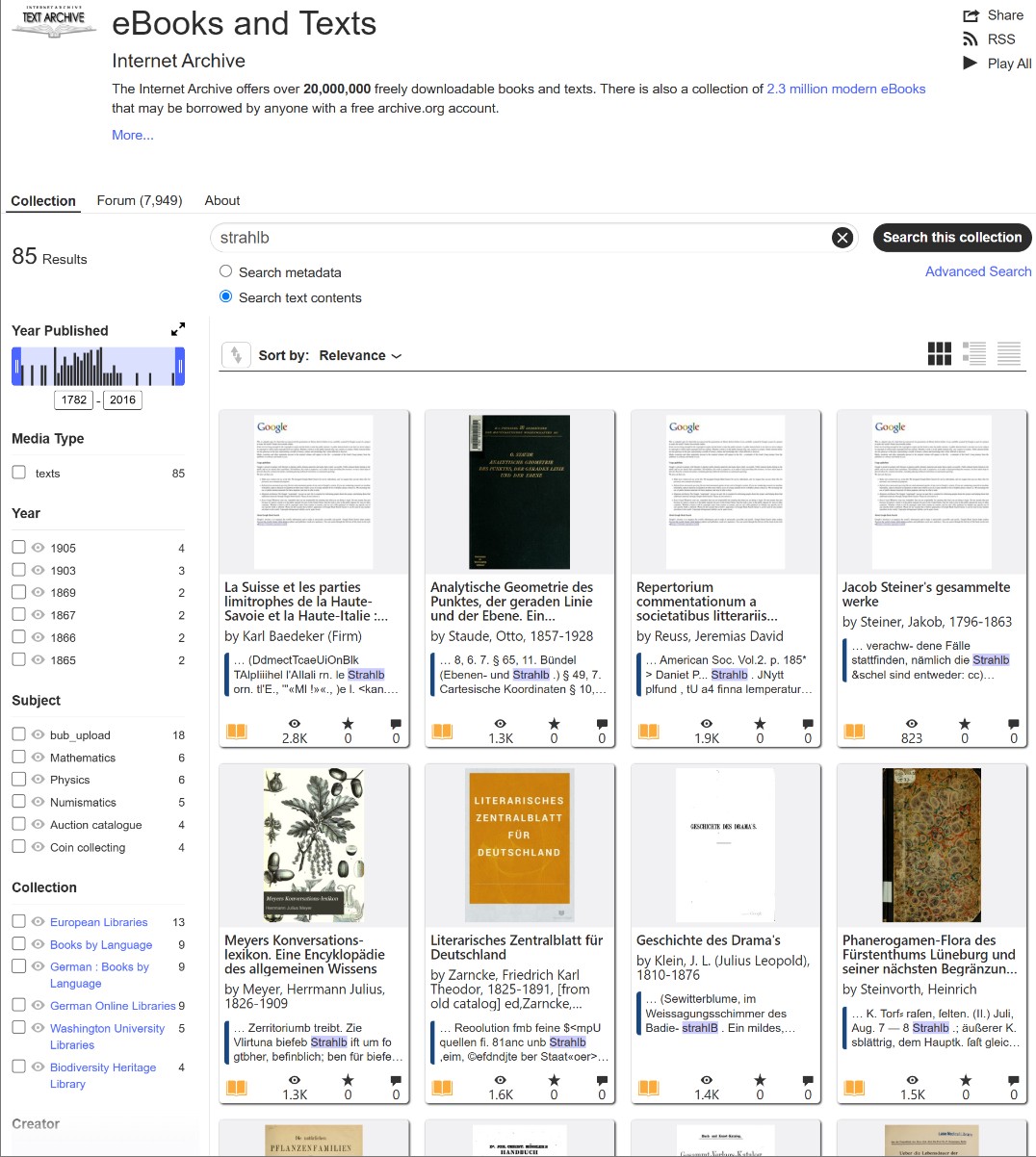
Unfortunately, searching with the asterisk (*) wildcard, like searching for “Strahl*,” doesn’t work in this site’s standard search box. In the standard search box, searching with an asterisk only returns truncated forms of words, but it can also be useful when part of a word wasn’t typed or wasn’t recognized. Below, I’ll show you a trick to make it work and open a new dimension to your search!
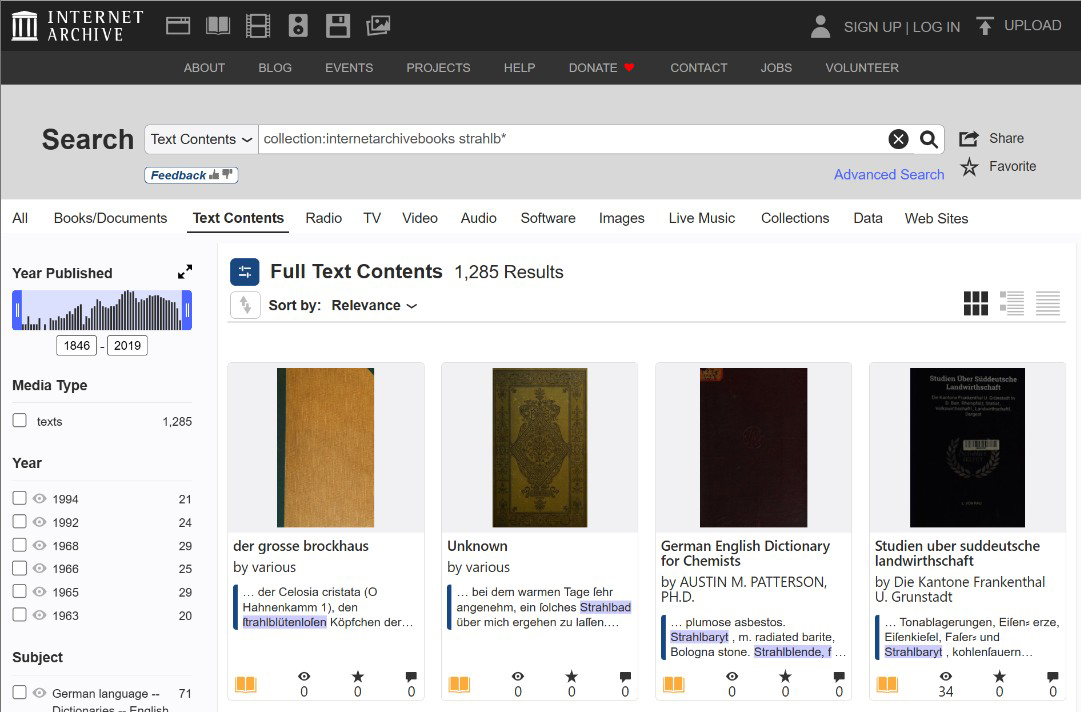
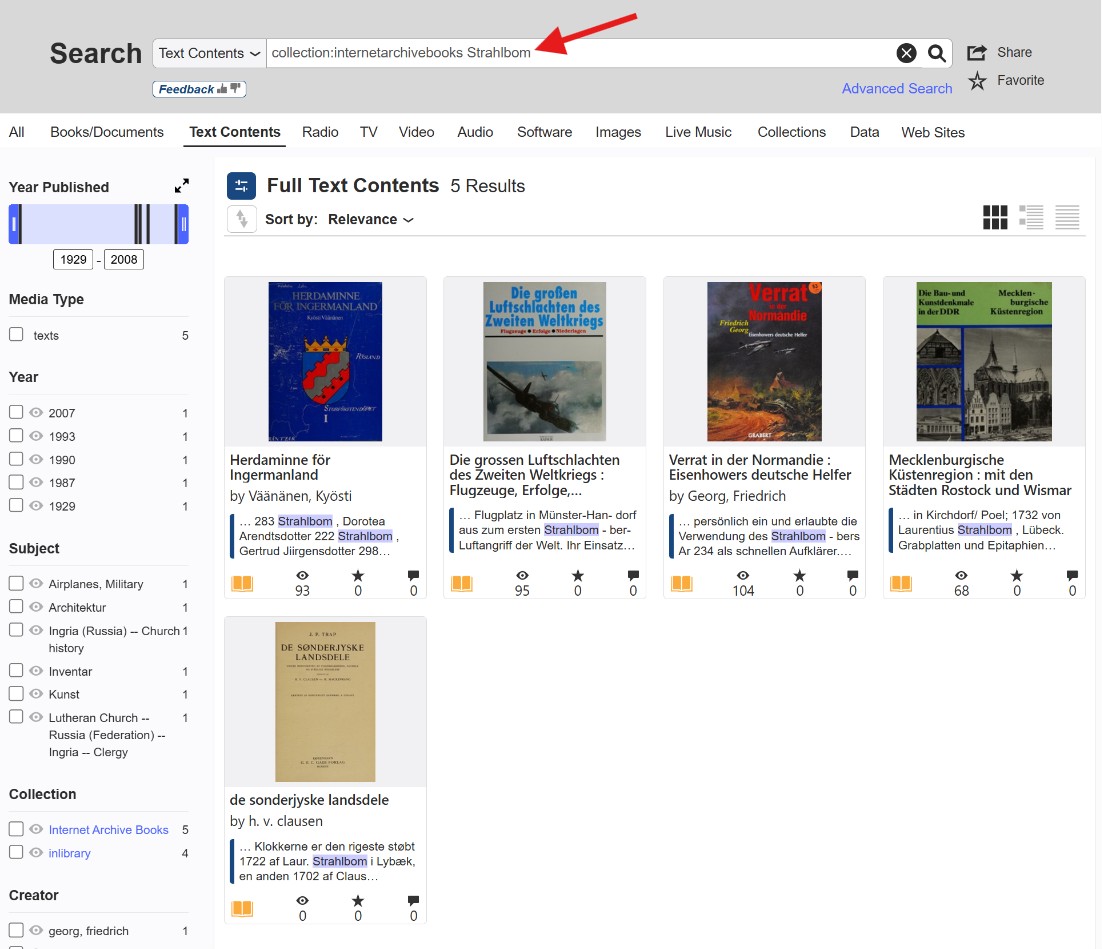
Wildcard Asterisk (*) works great when searching through collections; it truly opens a portal to a new dimension! Try it ☞
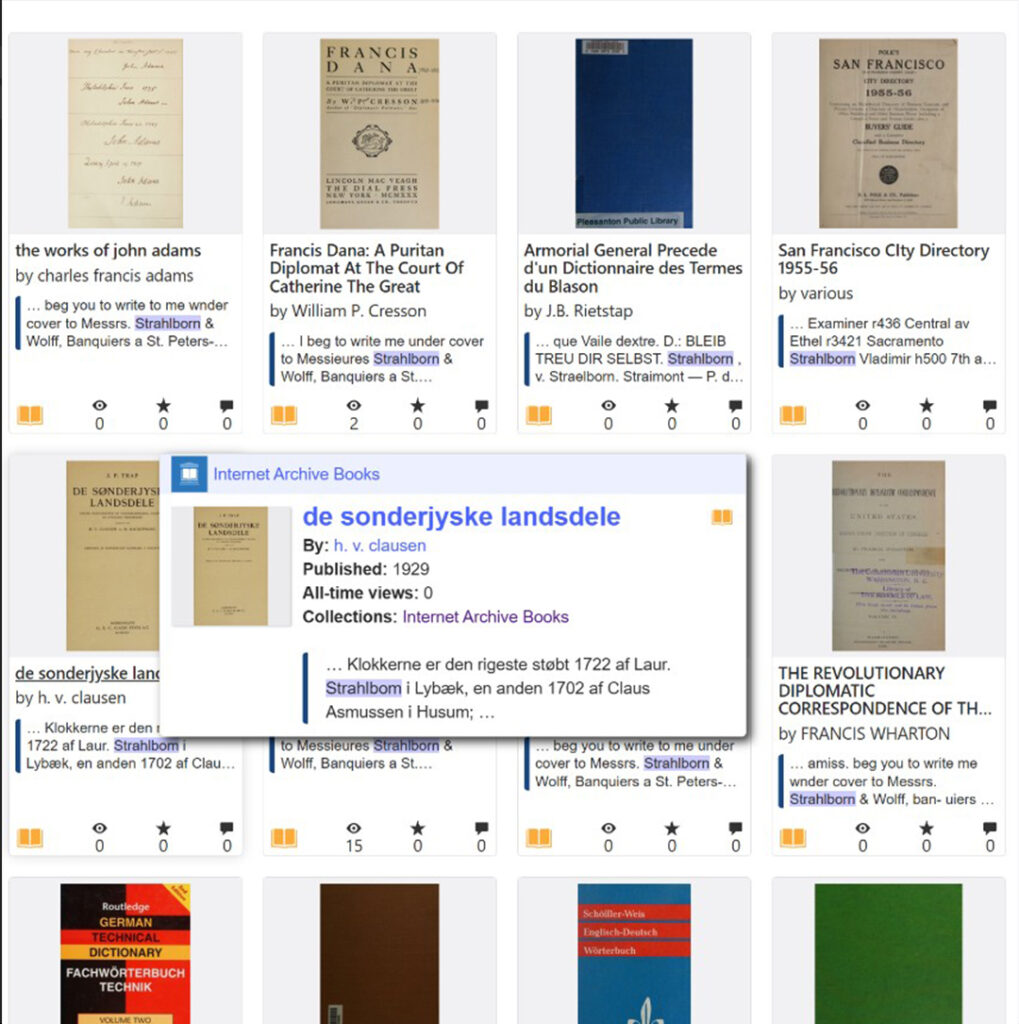
Try choosing a collection that covers as much material as possible related to your search topic, such as “internetarchivebooks.” If you’re interested in European genealogy, this might be internetarchivebooks. It’s highly likely that most other collections simply duplicate content from this extensive collection, but it’s always worth checking. So, try a search template, substituting part of your search term and adding an asterisk (*); this will help find words distorted by OCR.
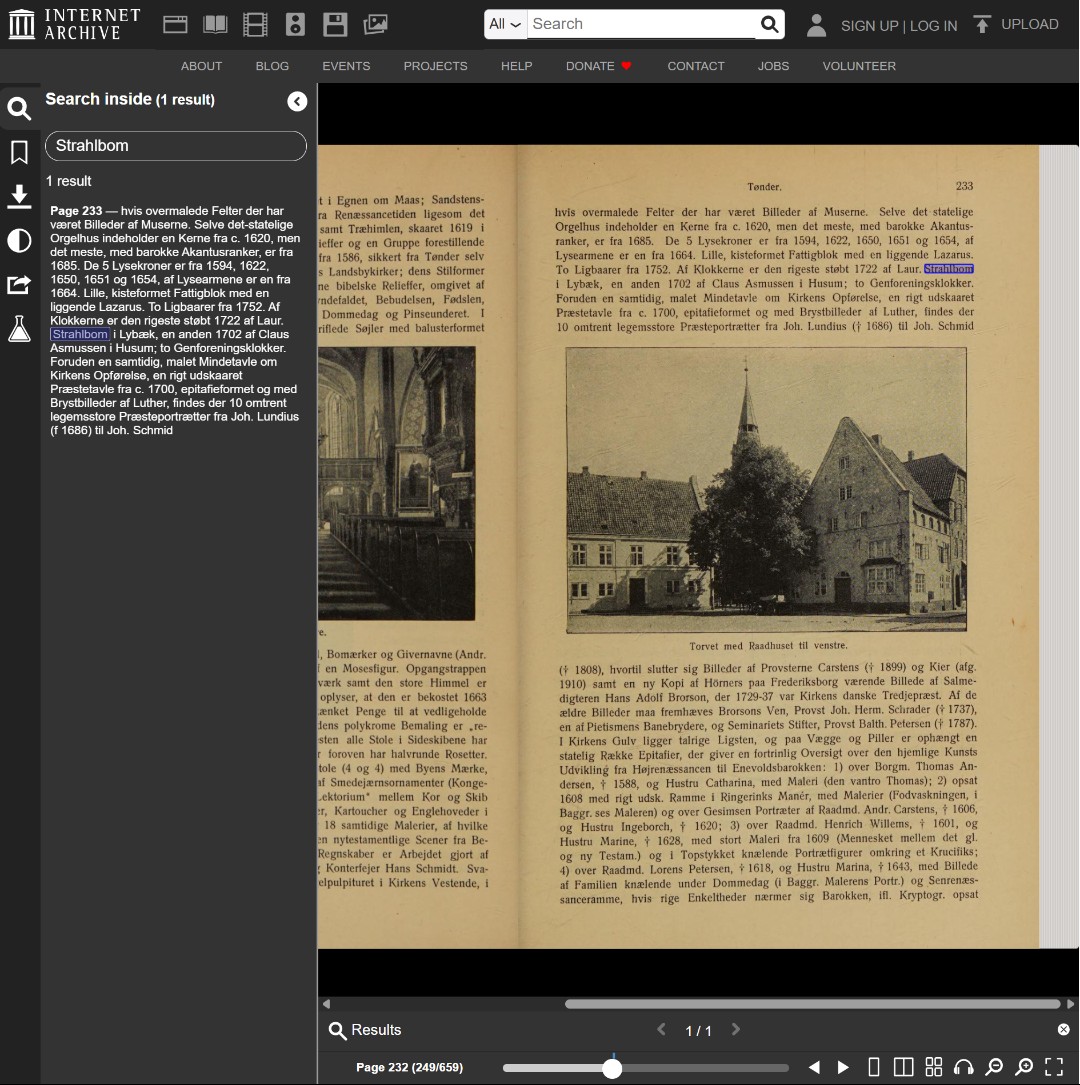
Navigating Inside the Book After a Wildcard Search!
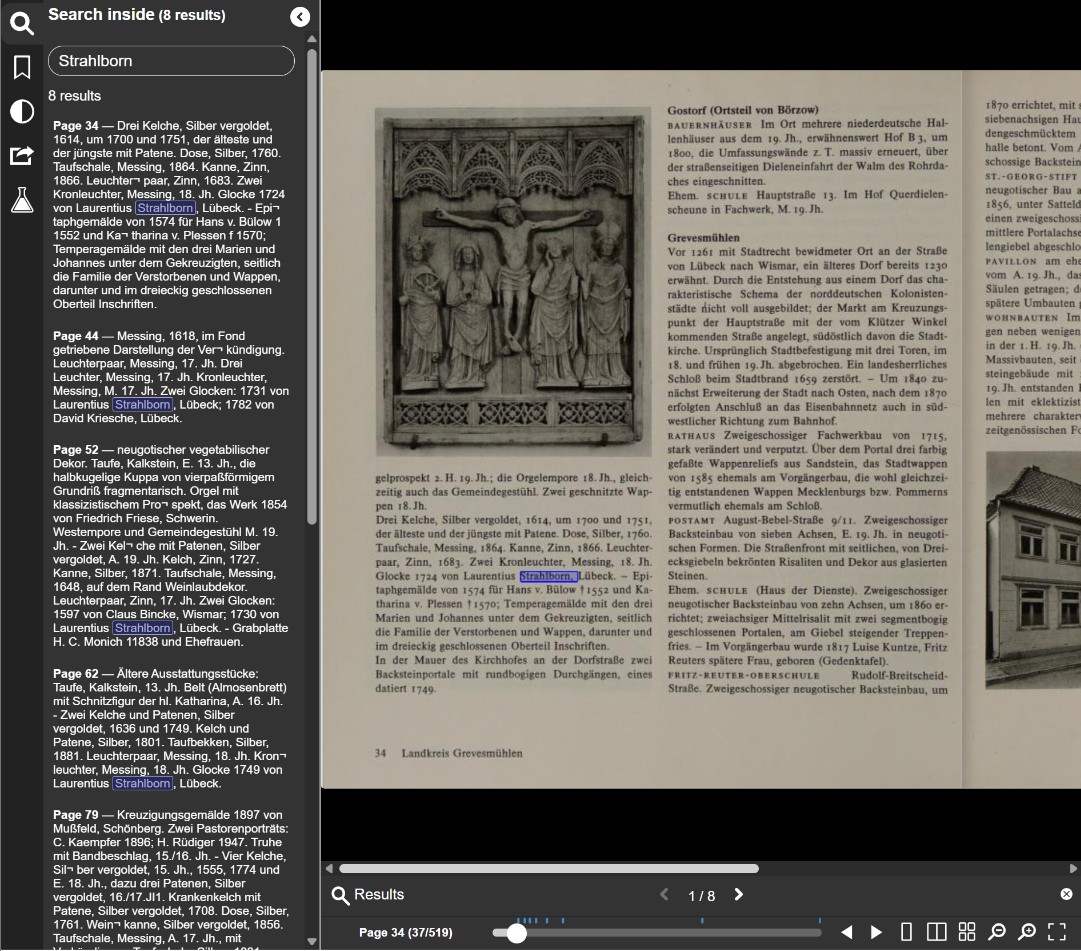
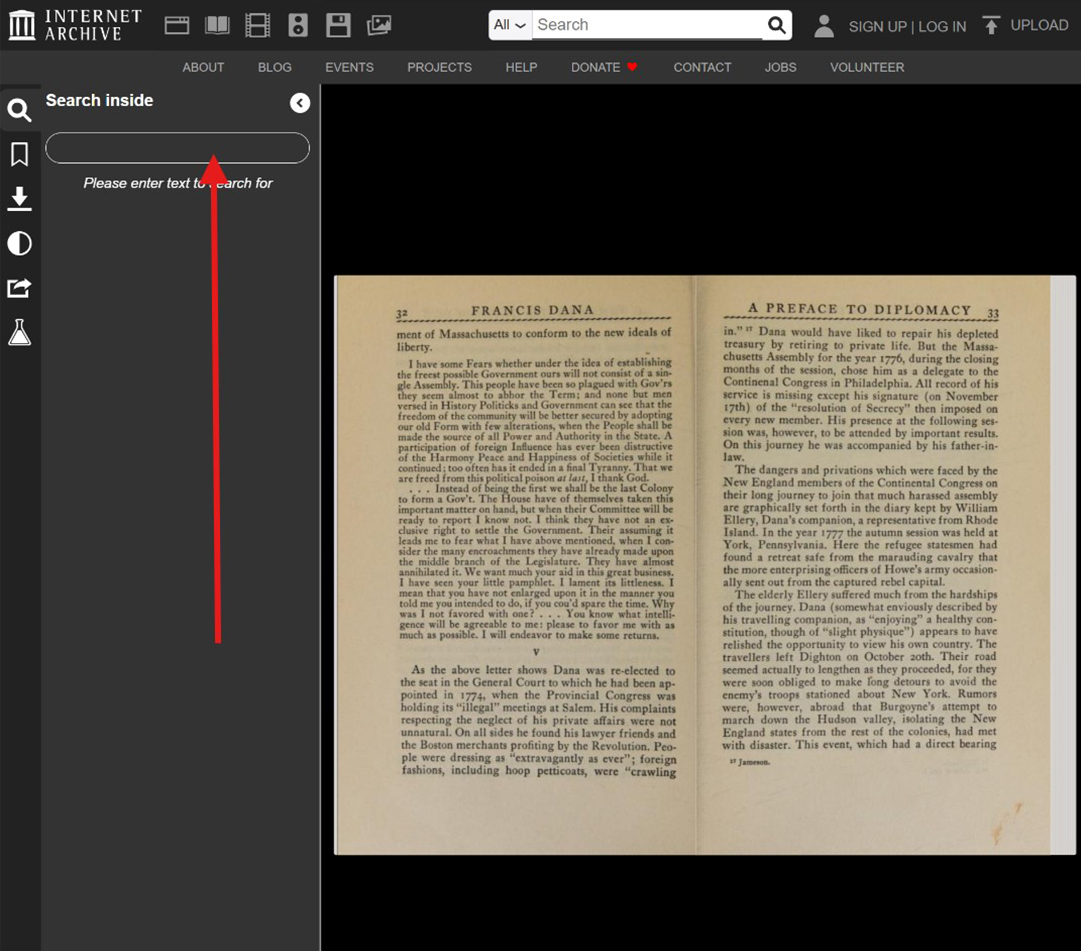
However, there is another critical nuance when using the wildcard asterisk. Finding the relevant book is only half the battle; you must also know how to navigate inside the text, as the distorted mention you are looking for could be hidden anywhere within hundreds of pages.
Advanced Strategy: Reverse-Engineering OCR Patterns
When you successfully locate your target keyword within a text, do not immediately close the document. Examine the surrounding pages to see if your ancestor’s name appears multiple times within that same book.
Frequently, you will discover that while the search engine recognized the name correctly in one paragraph, it heavily distorted the exact same name a few pages later due to faded ink or changing typography. When this happens, copy those newly discovered distorted variations and run new, platform-wide searches using them.
Because OCR errors are tied to the algorithmic reading of specific historical fonts and printing methods, these mistakes are rarely random. A specific typographical mutation found in one book is highly likely to follow a predictable pattern, appearing in the exact same distorted form across entirely different texts from the same era. By harvesting these specific errors from a successful find, you are essentially building your own custom dictionary of highly effective, proven search terms.
Combining Wildcards with the AND Operator
If you want to search for multiple partial words at the same time, you can link them together. To do this, replace the example terms below with your own keywords and follow these strict formatting rules:
- No spaces before the asterisk: The asterisk (
*) must be attached directly to the end of your word fragment (e.g.,Strahlb*). - Mind your spaces: Always leave a single space between your words and the operator.
- ALL CAPS for the operator: When combining words, you must type
ANDin capital letters.
If you are searching for just two partial words, your combination will look like this:
Strahlb* AND Reval* (This tells the system to look for texts mentioning both the Strahlborn family and the city of Reval/Tallinn, regardless of how the endings are spelled or misread by the OCR).
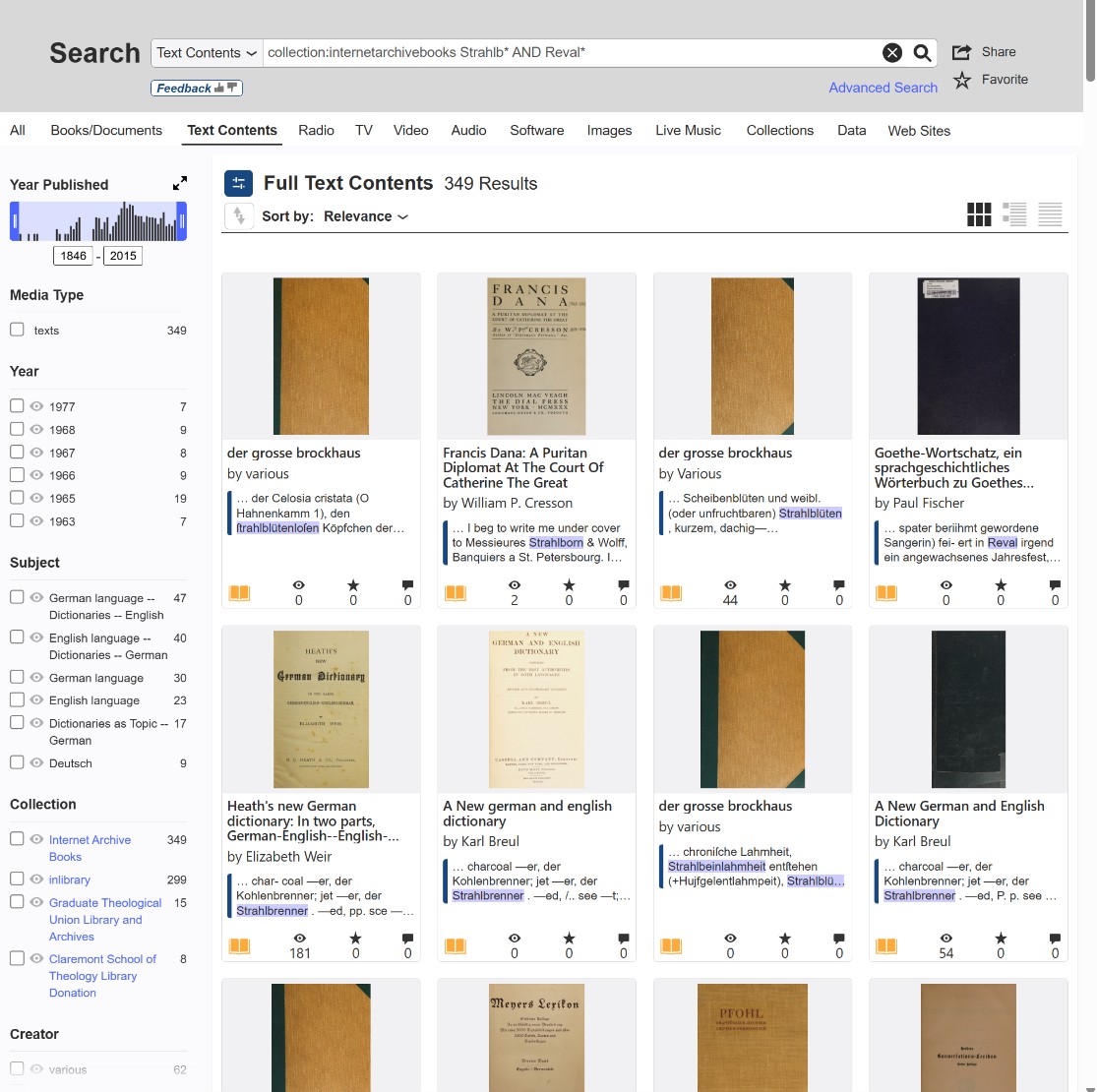
If you want to try a combination of three or more words, simply add a new AND before each additional term:
Paule* AND de AND Rion*
The Prefix Trap (De, Von, Der) and breaking the word into parts
Nobility prefixes are a nightmare for digital searches. Was it written together? With a space? With a hyphen? You have to try them all.
- The Italian Conundrum: If you are searching for the Derionzini family, a standard search might yield zero results. You must manually break the name apart the way historical clerks might have:
- Derionzini
- De Rionzini
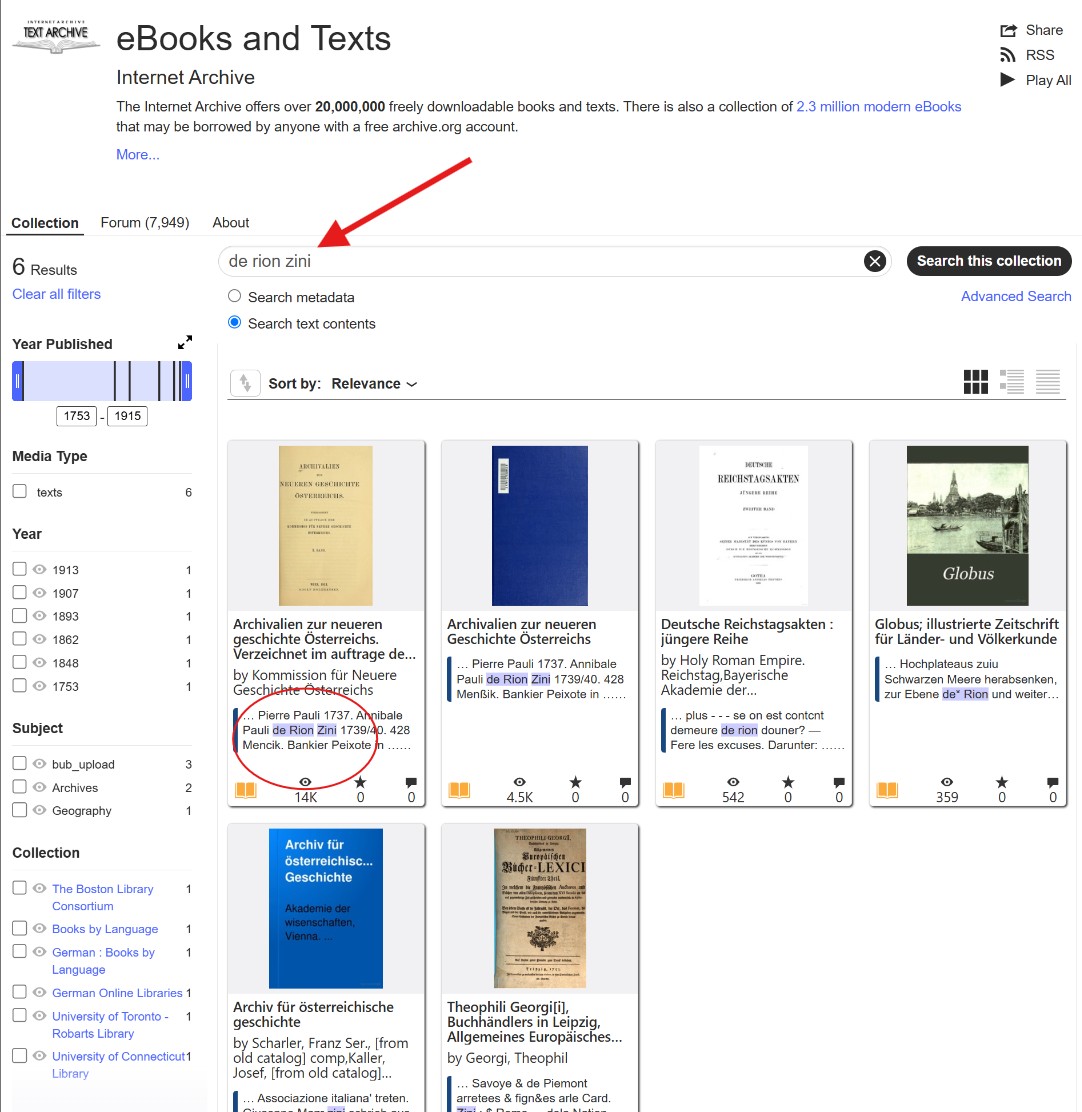
- De Rion Zini
- Rionzinni (always anticipate double consonants in Italian/Austrian records).
Mastering Systematic Typography and OCR Errors
OCR errors on Archive.org are frequent, but they are rarely random; they usually follow predictable patterns dictated by the typography of the era. If you anticipate how the computer misreads these historical fonts, you can unlock a substantial amount of hidden material. Here are some of the most common systematic errors I have successfully navigated:
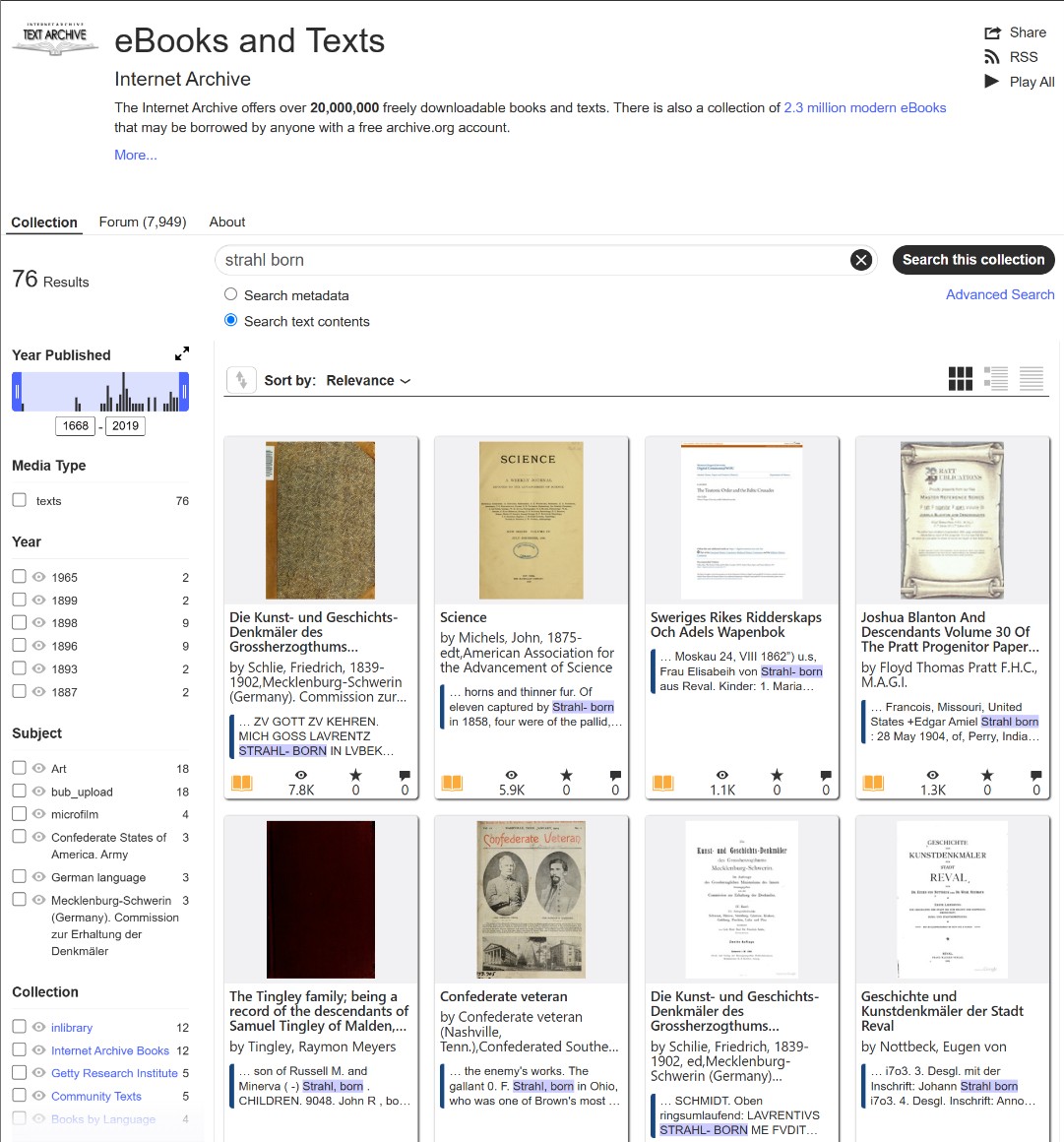
The “rn” to “m” Merge: In tightly kerned 19th-century typography, the letters “r” and “n” are frequently compressed together. Modern optical character recognition almost always misreads this combination as a single letter “m”. When searching for the Strahlborn family, it is highly advisable to also search for: ⚜️ Strahlbom ⚜️ Straelbom
The Vertical Stroke Confusion (“in” / “ni” / “im”): Similarly, a sequence of narrow vertical letters confuses the engine, often causing it to render “in” or “ni” as an “m”, “nn”, or a garbled string. For Italian or Austrian records, this is particularly prevalent. When looking for De Rionzini, you must check: ⚜️ Rionzimi ⚜️ Rionznni
The Fraktur and Gothic Font Trap: If you are delving into German or Baltic archives, the texts were likely printed in Fraktur. In this highly ornate typeface, specific capital and lowercase letters share confusing similarities to the digital eye. A capital “S” is frequently misread as a “G” or an “F”, and a lowercase “b” is often misread as a “v”. Therefore, do not forget to test variations like:⚜️ Gtrahlborn (instead of Strahlborn)⚜️ Strahlvorn
The “Long S” (ſ): In English and European texts printed before the early 1800s, the lowercase letter “s” occurring in the middle of a word was printed as a “long s” (ſ), which looks nearly identical to an “f” or an “l”. While this does not apply to the specific spellings of Strahlborn or Rionzini, it is a critical rule for general searches. If you are searching for an ancestor named “Kassel,” you must anticipate the OCR reading it as “Kaffel” or “Kaflel.”
Unlike modern search engines that intuitively understand root words and typos, Archive.org requires you to input the word exactly as it was printed, and exactly as the computer thinks it read it. When dealing with foreign names, spelling was highly fluid in the 18th and 19th centuries. The letter ‘h’ might be dropped, vowels swapped, or prefixes detached.
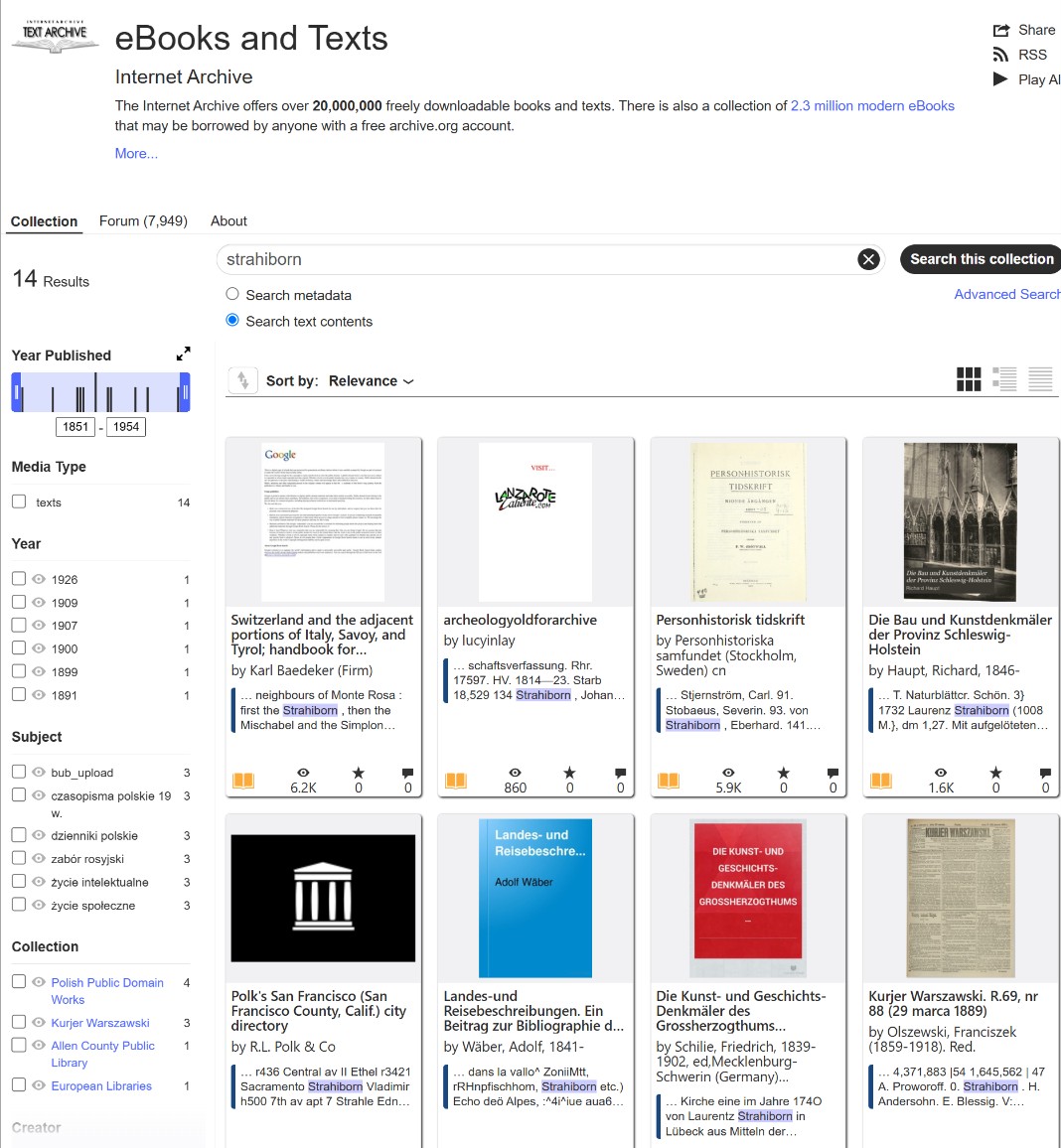
A Word of Caution on Archive.org’s Quirks: Adding AND is designed to help you find pages where all your targeted words appear in the same text. However, you will quickly notice that the engine’s behavior isn’t entirely stable. Mixed in with your perfect matches, you will still see results where only one of the words was found.
Despite this slight instability, do not skip this method! It filters out a massive amount of “noise” and delivers significantly more useful matches than searching for a single word alone. In my own research, utilizing these AND + wildcard combinations was the exact breakthrough that allowed me to track down crucial family documents so much faster.
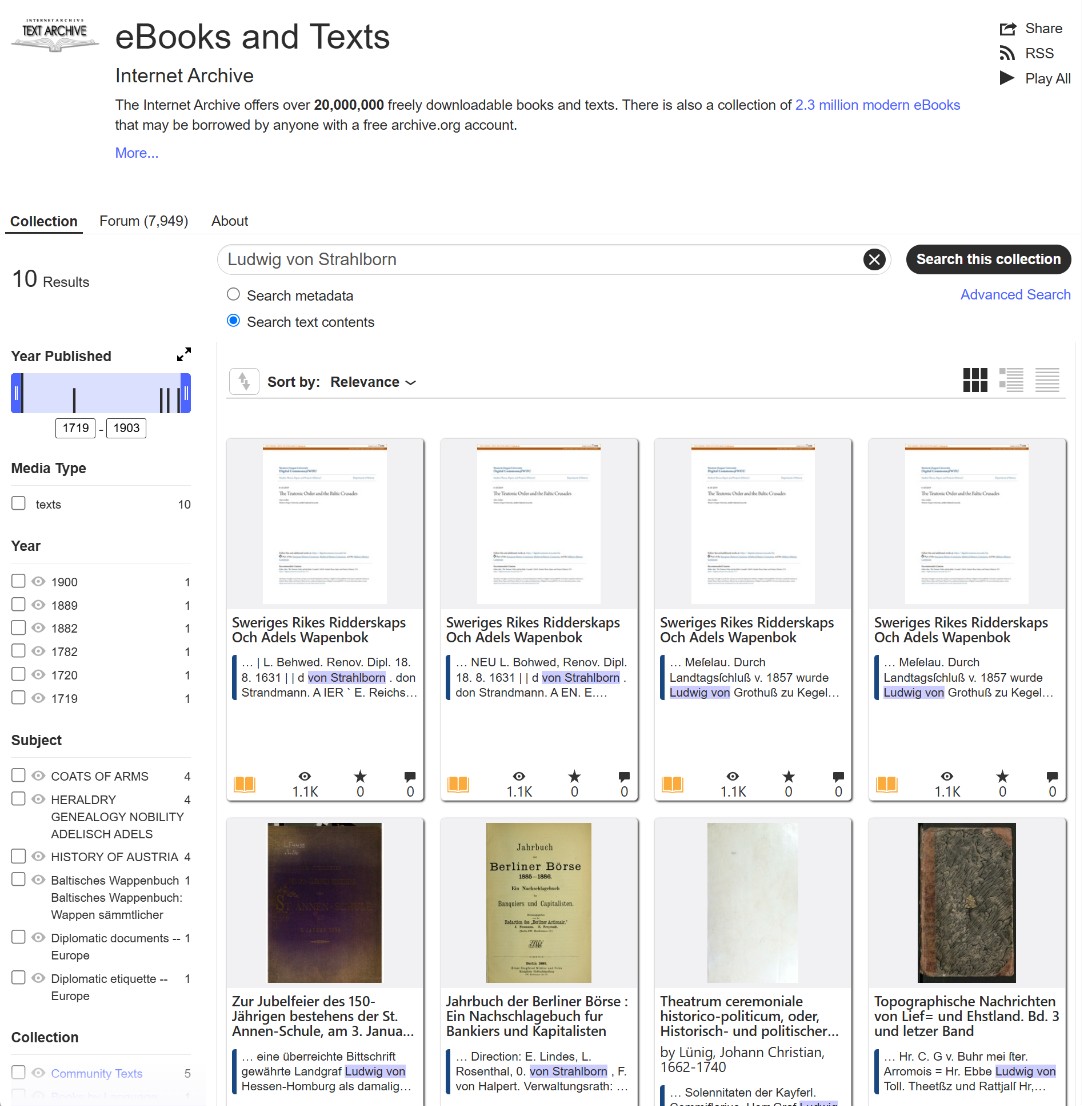
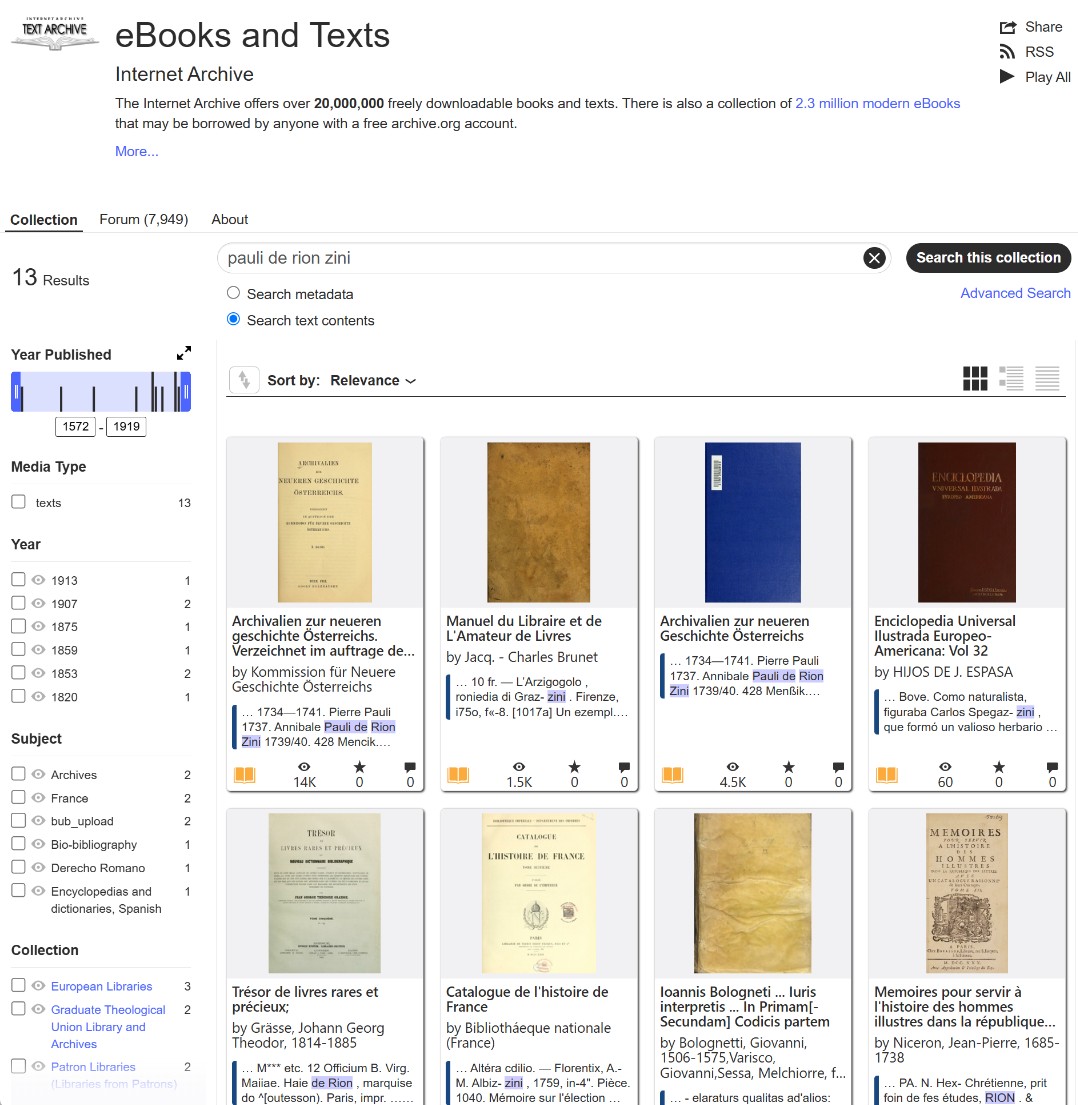
If you are searching for a partial word or a common first name, you need to narrow the results. Use combinations of words without collection mentions, only using the simple search window within text contents.
- Example: Ludwig von Strahlborn or Pauli de Rion Zini. This tells the system to show pages where both words appear.
Searching by Word Fragments to Catch Line Breaks
Another highly effective strategy is searching specifically for an isolated fragment of a word. This accounts for instances where a typesetter hyphenated a name across a line break, effectively splitting the word into two separate, disconnected terms in the eyes of the search engine.
However, there is a strict rule for this method: the fragment you search for must be highly unique. Not every part of a broken word will yield useful results.
Let us look at the surname Strahlborn. If the historical clerk or typesetter broke the name across a line as Strahl-born, searching for the second half, “born” is practically useless. Because “born” is a common dictionary word in English, your search will be instantly flooded with thousands of irrelevant results.
The same trap applies to other prominent Baltic surnames, such as Rehbinder. If printed as Reh-binder, you might be tempted to search for the second half. But “binder” is a common English and German word. You will be buried in irrelevant texts. In these instances, you must rely on the first half of the name. Searching for the exact string Strahl or Rehbin without an asterisk instructs the engine to look for that fragment as a standalone entity, exactly how the OCR reads it when severed by a hyphen.
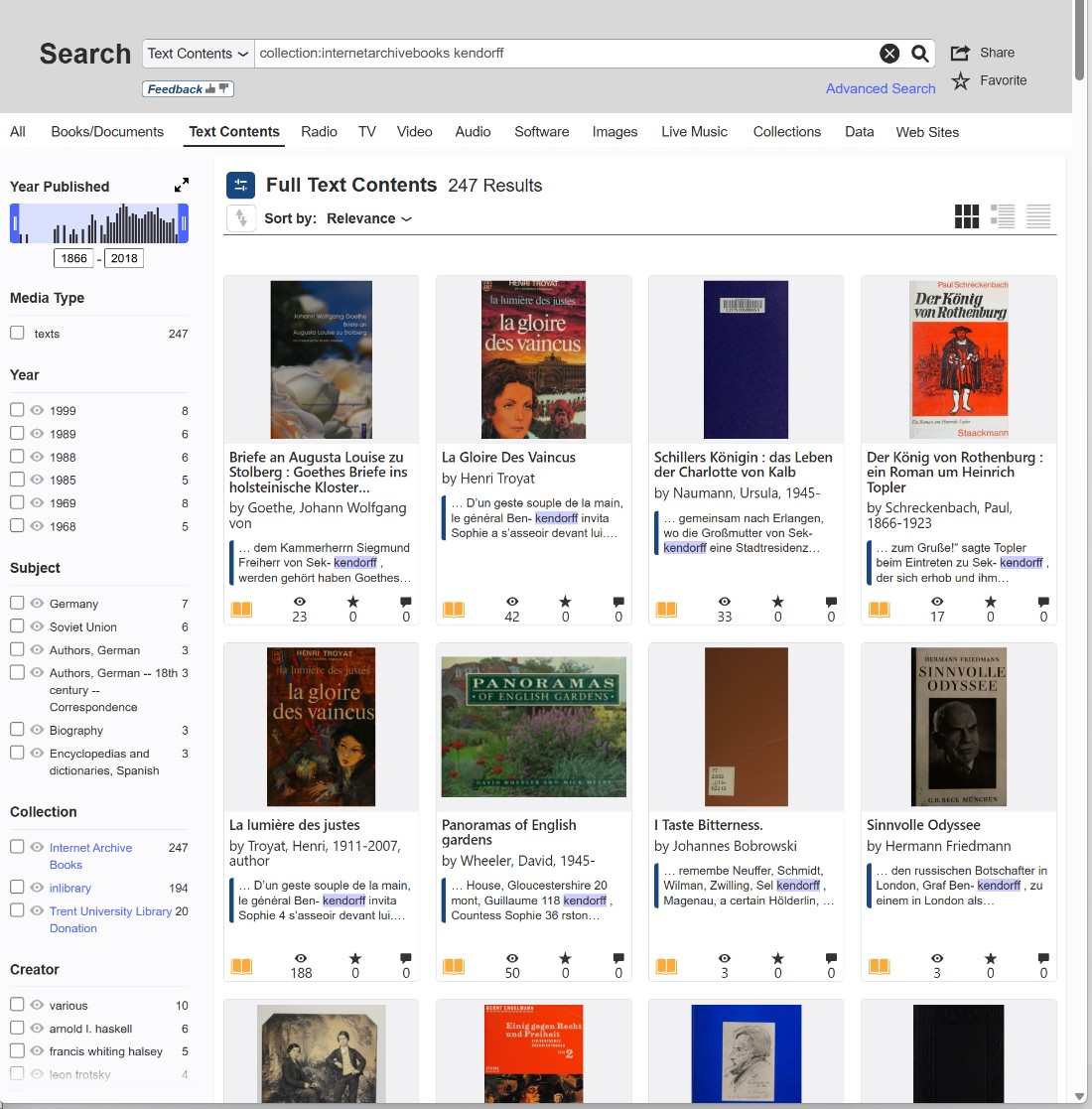
But what if you need to search for the second half of a hyphenated name? You must ensure that the suffix is distinct. Consider a complex surname like Benckendorff. If printed as Benc-kendorff across a page break, the second half, kendorff, is an excellent search term. It is highly specific and extremely unlikely to appear as a standalone dictionary word.
The principle is straightforward: isolate the most unique fragment of the surname, exactly as it would appear when fractured by the printing press.
Therefore, you can execute a clean search for the distinct first half (as in our Strahlborn example): ⚜️ Strahl (Searching the exact prefix without asterisks to catch the word right before the hyphen)
Or, you can search for a distinct second half (as in our Benckendorff example): ⚜️ kendorff (Searching the exact suffix to catch the start of the new line)
Because these fragments often sit right next to hyphens, spaces, or trailing punctuation (which the OCR frequently misreads as additional letters), you should also experiment by bringing the wildcard asterisk back into play to catch any glued-on typographical errors: ⚜️ kendorff*
The Strict Precision of Exact Match Searches (” “)
While wildcards and word fragments are essential for catching unpredictable OCR errors, there are times when you need the exact opposite approach: strict, uncompromising precision.
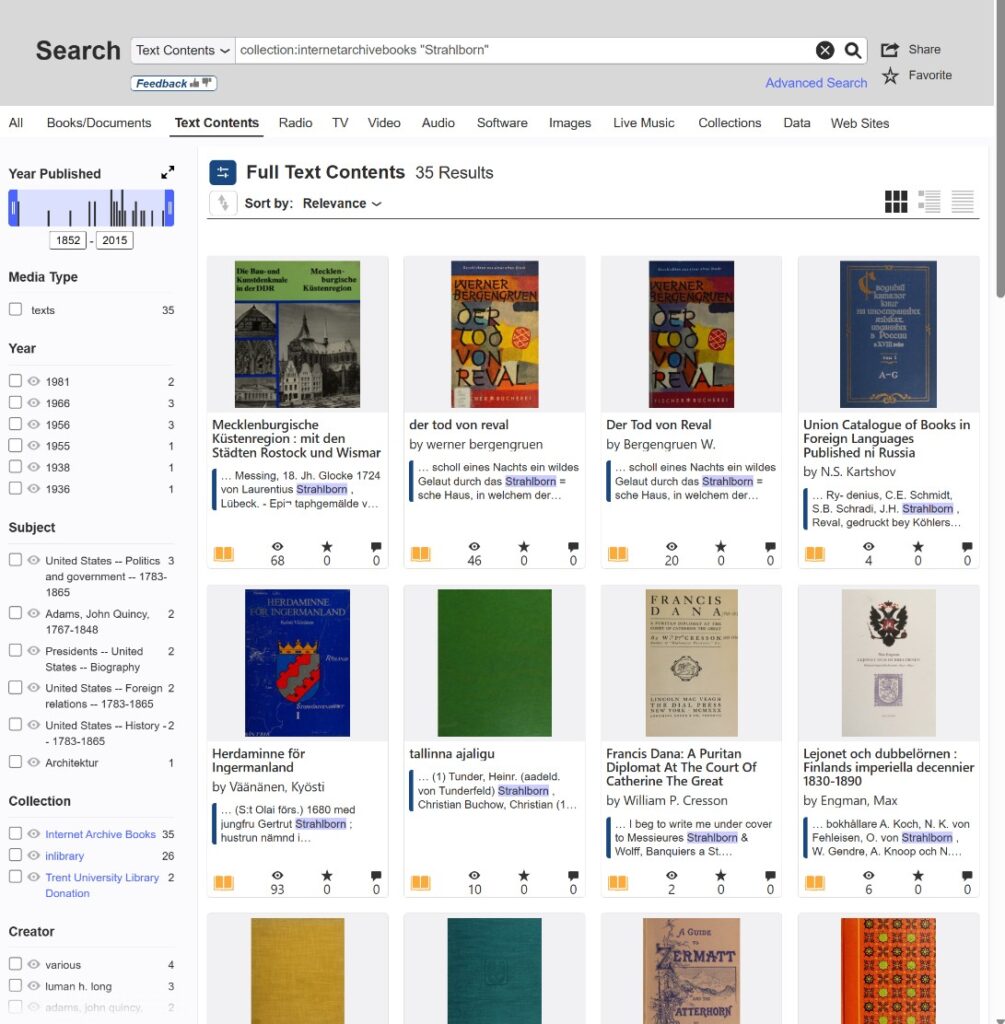
By enclosing your keyword or phrase in quotation marks, you force the Archive.org search engine to look only for that exact string of characters. It disables the engine’s default “smart” behavior, meaning it will not try to find pluralized versions, root words, or loosely related terms.
Searching for “Strahlborn” ensures your results contain that precise spelling and nothing else.
This technique becomes extraordinarily powerful when you graduate from searching for single surnames to full names or specific titles. If you type Ludwig von Strahlborn without quotation marks, the engine might return a book where “Ludwig” is on page 10, “von” is on page 15, and “Strahlborn” is on page 50.
However, searching “Ludwig von Strahlborn” acts as a typographic lasso. It forces the system to find only the pages where those three exact words are printed consecutively, in that exact order. It is the fastest way to cut through thousands of irrelevant results when you already know the exact phrasing you are looking for.
Expanding Your Search: Leveraging Metadata to Discover Collections
When you execute a text search and find a highly relevant book, that single result is more than just a document; it is a map to uncover entire hidden archives. Archive.org is organized by metadata, and the description under a successful find will show you exactly which collections, topics, and filters to target next.
Consider this metadata block found under a historical German text:
Title: Die Bau und Kunstdenkmäler der Provinz Schleswig-Holstein Author: Haupt, Richard, b. 1846 Publication date: 1887 Topics: Architecture, Art Publisher: Kiel : E. Homann Collection: getty; americana Contributor: Getty Research Institute Language: German
Here is how to use this information to aggressively narrow your results and pivot your search strategy:
- Targeting New Collections: Notice the “Collection” field (
getty; americana). If this specific book contained information relevant to your research, the broader Getty collection likely holds similar high-quality institutional scans of European history. You can click these collection tags or manually add them to your search parameters to restrict your future keyword searches exclusively to this curated group of documents, filtering out millions of unrelated books.
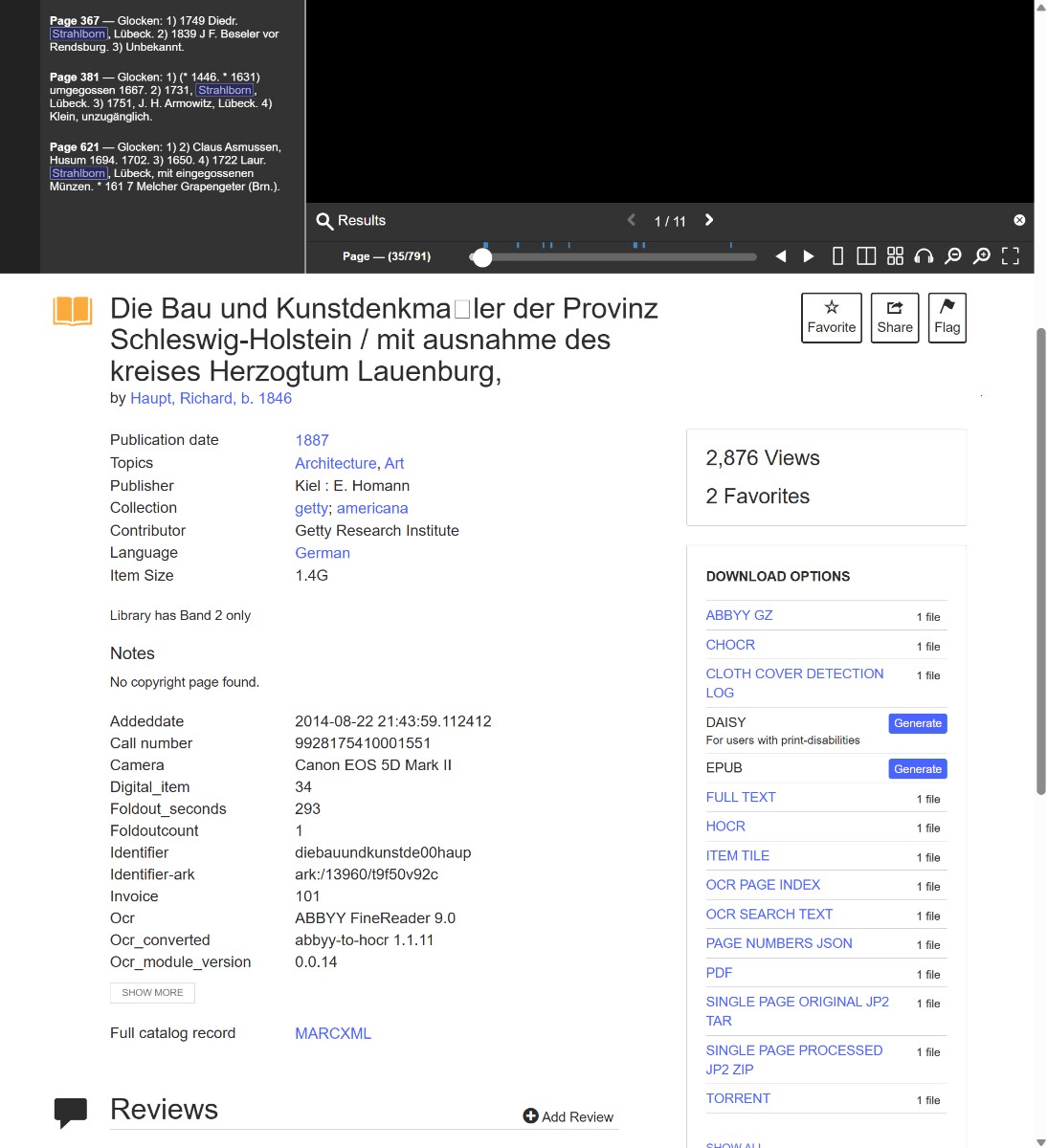
- Filtering by Topic: The “Topics” field (
Architecture, Art) utilizes standardized archival subject headings. While you might be searching for a family name, nobility are frequently mentioned in texts detailing the history of regional estates, manors, and architectural monuments. Selecting these specific topic tags on the search results page ensures you are looking at literature from the correct historical context. - Narrowing by Language: When searching for complex European surnames, your results will likely span multiple languages. If your primary focus is on archival materials from the Baltics or the German-speaking world, applying the “Language” filter (
German) will instantly eliminate the noise of unrelated publications (such as English or French texts sharing similar spellings) and vastly improve the precision of your OCR wildcard searches.
In conclusion, I’d like to present some ready-made search templates; feel free to substitute your own words or parts of words.
- Collection: internetarchivebooks + word with*
- Collection: internetarchivebooks + full word
- Collection:internetarchivebooks AND Strahl* AND Ludwig*
- Collection:internetarchivebooks AND Strahl* AND Ludwig* AND von
- Collection:internetarchivebooks “Strahlborn”
- Collection:internetarchivebooks AND “Strahlborn” AND “Ludwig”
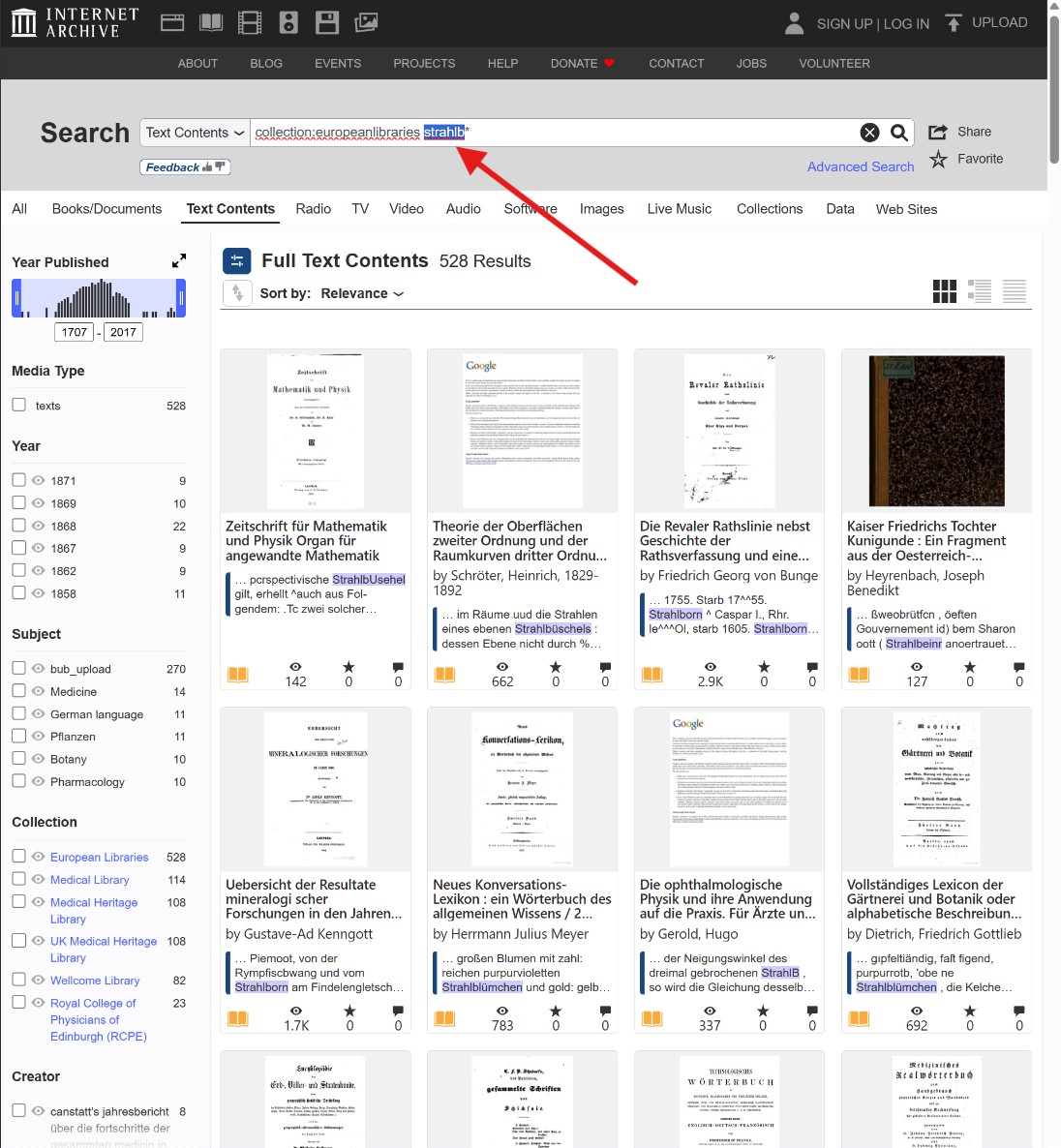
- Collection:americana Strahlb*
- Collection:uic strahlb*
- Collection:german-online-libraries strahlb*
- Collection:microfilm strahlb* – fabulous collection! Don’t miss it.
- Collection:periodicals strahlb* – another absolutely great collection.
- Collection:europeanlibraries strahlb*
This article may be updated with new examples. You can subscribe to updates at the top of the site.
A Real-Life Discovery: Tracing the Venetian Counts
To show you how powerful this can be, let me share how Archive.org helped crack the origins of my ancestors, the Italian counts Derionzini.
I wanted to know who the ancestors of this family were before they arrived in Russia. Did their name appear in Latin script in European archives? Superficial searches for De Rion Zini and de Rionzini yielded nothing. I even tried querying ChatGPT, but it only led me in circles, offering hypothetical spellings.
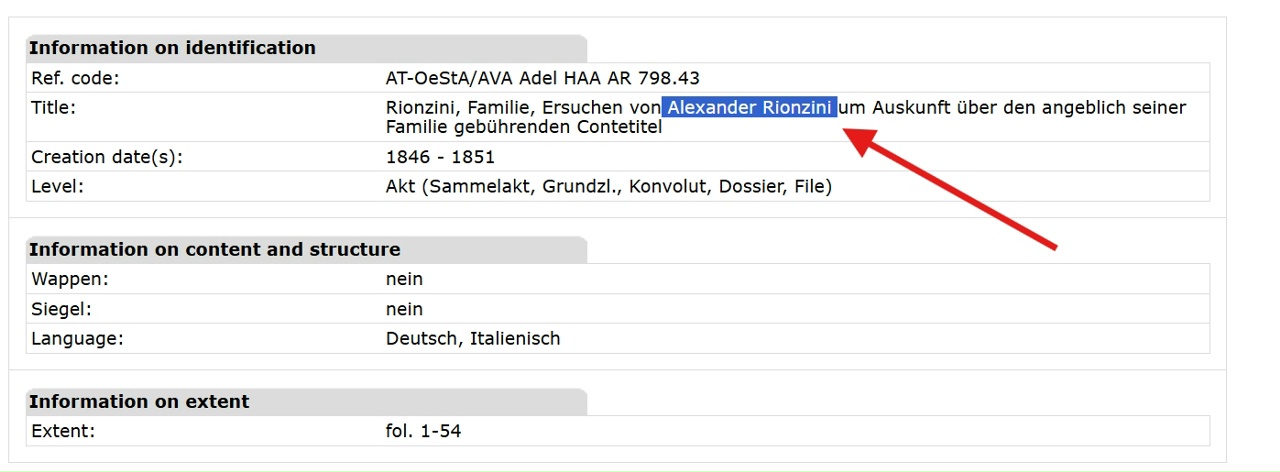
Then, Historian Sergei Gavrilov pointed me toward the Austrian State Archives, noting a genealogical file for an Alexander Rionzini (1846–1851). This sparked a theory: perhaps the family had Austrian ties.
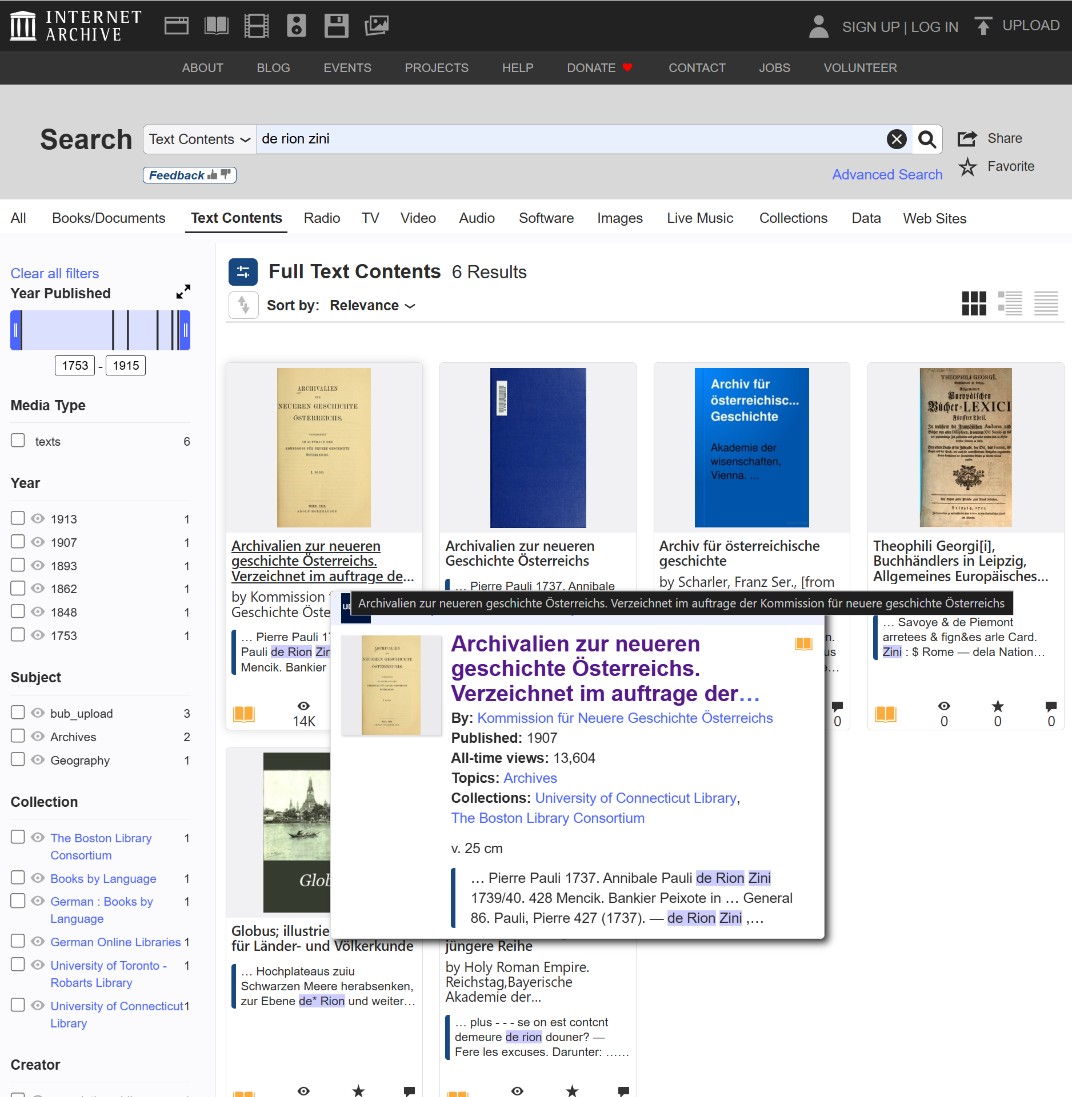
I took this theory to Archive.org and began conducting manual text searches of digitized printed inventories from the Austrian archives. Knowing that a full surname search was failing, I applied the very wildcard method I described above. Instead of typing the whole name, I broke it down and began searching exclusively by word parts and fragments using combinations like *Zinni, Rion*, and De Rion*.
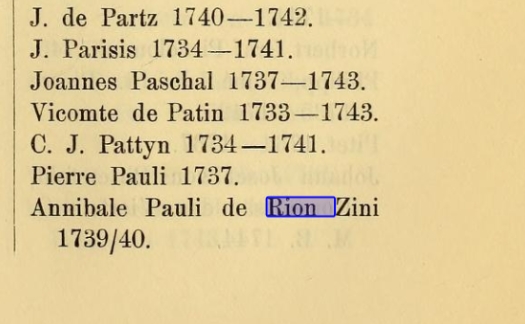
By bypassing the OCR errors and unpredictable spacing, this strategy struck gold: I found a printed mention of an Annibal Pauli de Rion Zini (1739–1740).
I had never seen this exact combination of the surname parts before, but the probability of a connection was incredibly high. The oldest known Derionzini in my Russian records was Klementy Pavlovich. “Pavlovich” (son of Pavel) could easily have been derived from the name “Pauli.”
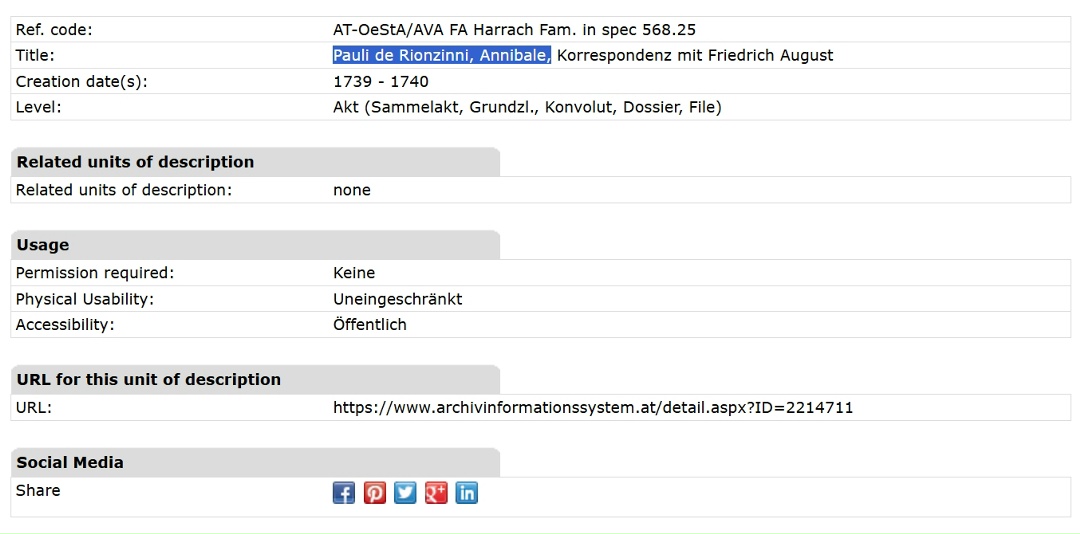
Armed with this exact first name, I returned to the Austrian archive’s database and searched strictly for Annibal Pauli. The maneuver was a complete success: I found him, this time recorded with the surname variation de Rionzinni, in correspondence with Friedrich August (King of Poland and Elector of Saxony).
Was this high-ranking European figure actually related to the Italians who settled in Russia?
The definitive proof came later, incredibly, from an 1814 criminal case in Moscow concerning the strangulation of a Lieutenant Molchanov. In the early pages of the case, the investigators doubted the noble status of the accused (Gavrila Derionzini), referring to him as “calling himself a count.” To verify his identity, the police confiscated Italian documents from his father, Klementy, who was living out his days in an almshouse.
The contents of those verified, sealed Catholic papers aligned perfectly with my Archive.org discovery. Klementy’s father was indeed the Venetian count Annibal Pauli Rion de Zini!
He was born in Venice, set off on a European journey with a servant in 1727, and returned in 1734 with a wife, Anna Maria de Moir. The papers detailed his travels, showing he was granted free passage and horses everywhere he went. They also listed the births of his children across Europe, noting that their godparents were highly prominent figures, including a relative of King Stanisław Poniatowski and the Austrian diplomat Count de Cobenzl.
None of this literary, dramatic history would have been uncovered without knowing exactly how to manipulate the text search on Archive.org to find a single, strangely spelled name hidden in a printed inventory using word fragments.
Good luck with your searches!
Discover more from Strahlborn and De Rionzini
Subscribe to get the latest posts sent to your email.
